Joining a new platform should take a few minutes, not an afternoon of guessing which button comes next. If you've been reading Youmetalks reviews and now want to see the platform for yourself, this guide walks you through it: the sign-up form, your profile, signing back in, the main menu, and your first message. No plot twists, just steps in the right order.
What Is Youmetalks Used For? A Quick Overview
We built Youmetalks for people who are curious about how others see the world. It's a place to talk, share what you think, and hear a point of view you hadn't considered. Members share thoughts, photos, and small updates, and others respond with questions, stories, and their own take. On the Youmetalks website, a conversation often starts with a shared interest and gets more interesting where your views differ.
The pace is unhurried. Everything is written, so you can take a day to answer and pick the conversation back up when it suits you. We encourage sincere dialogue that goes beyond small talk. Youmetalks works in any browser, on desktop or mobile, so there's nothing to download.
Before You Start: What to Have Ready
Setting up on Youmetalks takes only a few minutes. Have these ready:
-
An email address you can open right now
-
A strong password that you don't use on any other site
-
An up-to-date browser on your phone or computer
-
A clear photo of yourself, if you have one
For the password, we recommend at least 8 characters with uppercase and lowercase letters, numbers, and symbols. Skip 123456 and your own name, since those are the first things anyone would guess.
Setting Up Your Youmetalks New Account Step by Step
Registration on Youmetalks follows the same order for everyone, and each screen asks for only a little at a time. You don't need any technical knowledge, and several steps can be skipped and finished later. Here's what each screen asks for:
-
Select the "Create an account" button on the landing page.
-
Fill in the basic details: whether you're a man or a woman, your preference for who you'd like to connect with, your name, and your age. Tick the box confirming you agree to the Terms of Use and related policies, then select the "Create an account" button again.
-
Enter your email and create a password of at least 8 characters, then select the "Sign up with email" button. You can also sign up with Google in one step. At this point, you confirm that you're fully able to use Youmetalks and are at least 18 years old, or the age of majority where you live.
-
Answer the welcome quiz. A short quiz asks what you'd like from the platform, and each part can be skipped.
-
Add a profile photo by taking one with your camera or uploading one from your device. A "Rules for profile picture" dropdown shows what's accepted, and you can skip this step for now.
-
Confirm your email address. We send a link to your inbox, and a "Change Email" option fixes a mistyped address. Confirming is encouraged, but it isn't required.
-
Complete your profile with interests, what you're looking for, an "About Me" section, and public photos.
The second screen asks the most of you, so have your details ready. Your name appears on your profile, so use your own name, and enter your age accurately, since Youmetalks is for adults only.
The welcome quiz and the photo step are the easiest to postpone, and skipping them won't stop you from reaching the main menu. A clear photo gives your Youmetalks profile a face, though, so adding one early is a good idea. Step 7 is covered in more detail in the next section.
Writing a Profile That Sounds Like You
Your Youmetalks profile is the first thing another member sees, so a few honest lines go a long way. Two to four short sentences are plenty, because this is a profile, not a novel. Say what you enjoy and what you'd like to talk about. Interests make it easy to start a conversation, so add the ones you care about.
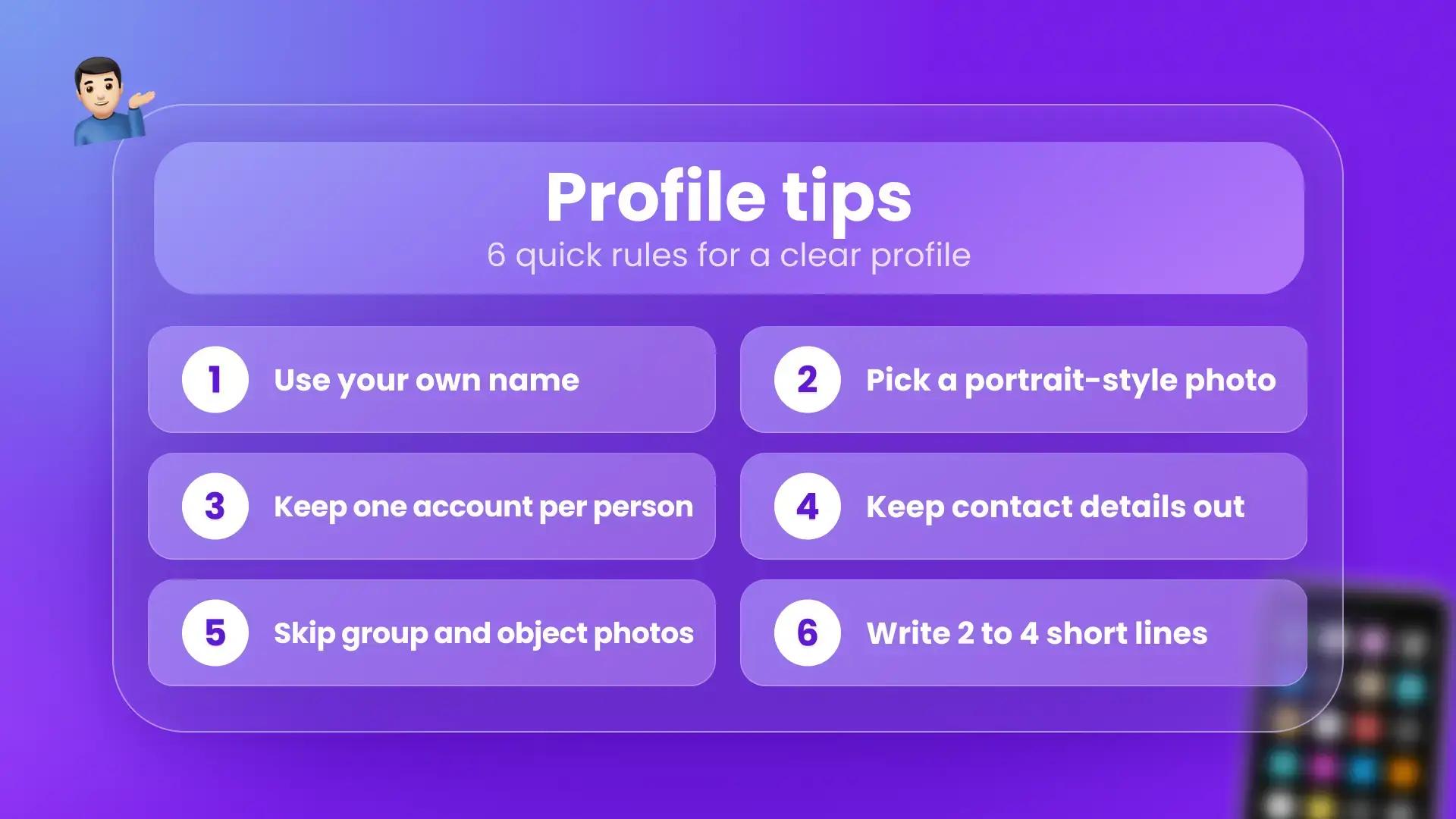
A few rules keep profiles clear and respectful:
-
Use your own name, because impersonating another person leads to account deletion
-
Keep phone numbers, addresses, email addresses, and social media links out of every profile field, since anything you write in a profile is publicly visible
-
Choose a portrait-style photo with your face clearly visible and nobody else in the frame
-
Keep to one account per person
-
Skip group photos, photos of objects, and anything showing illicit activity, such as weapons or smoking
Photos and posts must also follow our content guidelines.
Youmetalks Login on Desktop and Mobile
Once your Youmetalks profile is set up, coming back is quick. Select the "Login" button in the upper-right corner of the site, enter your email and password, then select the "Sign in" button.
Forgot your password? It happens to everyone. Select the "Forgot Password" link on the login page, enter the email you registered with, and submit. We send a reset link that stays valid for 24 hours. Check Spam if it isn't in your inbox, then set and confirm a new password.
Most problems have a short fix, summarized here:
|
Issue |
What to try |
|
Password doesn't work |
Retype it slowly, check Caps Lock, and reset it if needed |
|
Confirmation email is missing |
Check Spam or Promotions, then request it again |
|
Page loads incorrectly |
Clear the cache, try another browser, or use an incognito window |
|
Can't access the account at all |
Contact support with a short description of the issue |
If none of these work, our Youmetalks support team is at [email protected].
Finding Your Way Around the Main Menu
After you sign in, the Youmetalks main menu gives you a handful of sections to work from:
-
"People": a carousel of suggested profiles, where you can send a Like or save a profile for later
-
"Chats": short back-and-forth conversations with other members
-
"Mail": longer, letter-style messages, which can include photos
-
"Newsfeed": posts with photos and captions, where members share updates, and you can spot shared interests
-
"Search": filters for age, country, and gender, with views for everyone, only members who are online, or members you follow, which you can set based on whether those details are relevant to you
-
"Notifications": Likes, new messages, and profile updates
-
"Profile" and "Support": your photo, bio, and account settings, plus help articles and a contact form
Three buttons let you express interest before you write anything. The Like feature signals that a profile caught your attention, the Wink feature is a playful way to say hello, like a nod across the room, and the Follow feature adds another member's posts and updates to your feed. None of them requires a reply, and members decide for themselves whom to respond to.
Starting a Conversation With Someone New
Talking with people online is a familiar habit for most adults. According to Statista, the United States had about 254 million social media users in October 2025. Even so, a first message can feel awkward, and Youmetalks offers a few ways to ease into it.
Start with a light signal. Send a Like, a Wink, or a Follow, and move to a message when you're ready. Chats suit short exchanges, while Mail is better for a longer note. Unsent messages are saved as drafts.
A message that says only "hi" is friendly, but it leaves the other person wondering what comes next. The strongest openers refer to something in the other person's profile. Three that work well:
-
"Hi! I saw you're learning a new language. What made you pick it?"
-
"Hello! Your reading list caught my attention. Which book changed how you think?"
-
"Hey, I noticed you're into podcasts. Which episode should I start with?"
Writing to one person usually gets a warmer reply than sending a generic line, so aim for quality over quantity. When the blank page feels intimidating, Icebreakers on Youmetalks give you ready-made conversation starters that go out to several members at once. Inside a single conversation, you'll also find another set of ready-made lines, including a spot to write and save your own.
Some features are subject to a fee: chat messages, mail, pictures, and stickers are paid. Registration itself is free, so you can set up your profile and look around before using them.
Keep personal contact details to yourself early in a conversation.
How to Delete Youmetalks Account Data or Pause It
Youmetalks offers two options, and they behave differently. Deactivating is the pause button: your profile is not visible to other members, emails and notifications pause, and your account data is kept. Log back in at any time to reactivate. Deleting is the shredder: your profile and personal data are removed and can't be restored, although some information may still be kept where legal or financial obligations require it.
Both options are in the "Settings" section of your Youmetalks account:
-
To deactivate, select the "Deactivate My Account" button, enter your password, and confirm.
-
To delete, scroll to the "Delete My Information" section, select the "Delete My Account" button, and choose the "Delete Anyway" button in the confirmation window.
If you'd rather not do it yourself, contact support at [email protected] and we'll process the request for you.
Create Your Youmetalks Account When You're Ready
A new platform is easier to settle into when the path is clear, and that's what this guide set out to give you. Take things at your own pace, revisit any step when you need to, and start your first conversation when it feels right. If you're ready, we'd be glad to have you join us on Youmetalks and see how it feels.
Frequently Asked Questions About Youmetalks
What can members do on Youmetalks?
Youmetalks members create a profile, browse other profiles, and send chat messages or longer mail. The newsfeed lets members share posts and photos with captions, while Likes, Winks, and Follows signal interest. Conversation starters and drafts help with writing messages. Chat messages, mail, pictures, and stickers are paid features.
Is Youmetalks safe?
Youmetalks is for adults only, and an age check is required in certain cases. Members can also verify their identity voluntarily through a trusted third-party provider. Profiles, photos, and newsfeed posts are moderated, and every profile has a "Report Abuse" button and a block option.
How do members log in to Youmetalks?
Youmetalks members select the "Login" button in the upper-right corner of the site, enter the email and password used at registration, then select the "Sign in" button. This works in any browser on desktop or mobile. The "Forgot Password" link sends a reset email when a password is forgotten.
Does it cost anything to register?
Registration on Youmetalks and profile creation are free. Certain features, including chat messages, mail, pictures, and stickers, are subject to a fee. Members can complete their profiles and explore Youmetalks before deciding whether to use these features, and support can answer questions about any of them.